Every Check Point policy runs in a protection mode. The mode decides how visible Check Point is and how far it can act: from silently watching, to clawing bad mail back after delivery, to stopping it before it ever reaches the inbox. Choosing the right mode is central to building any policy.
The three modes
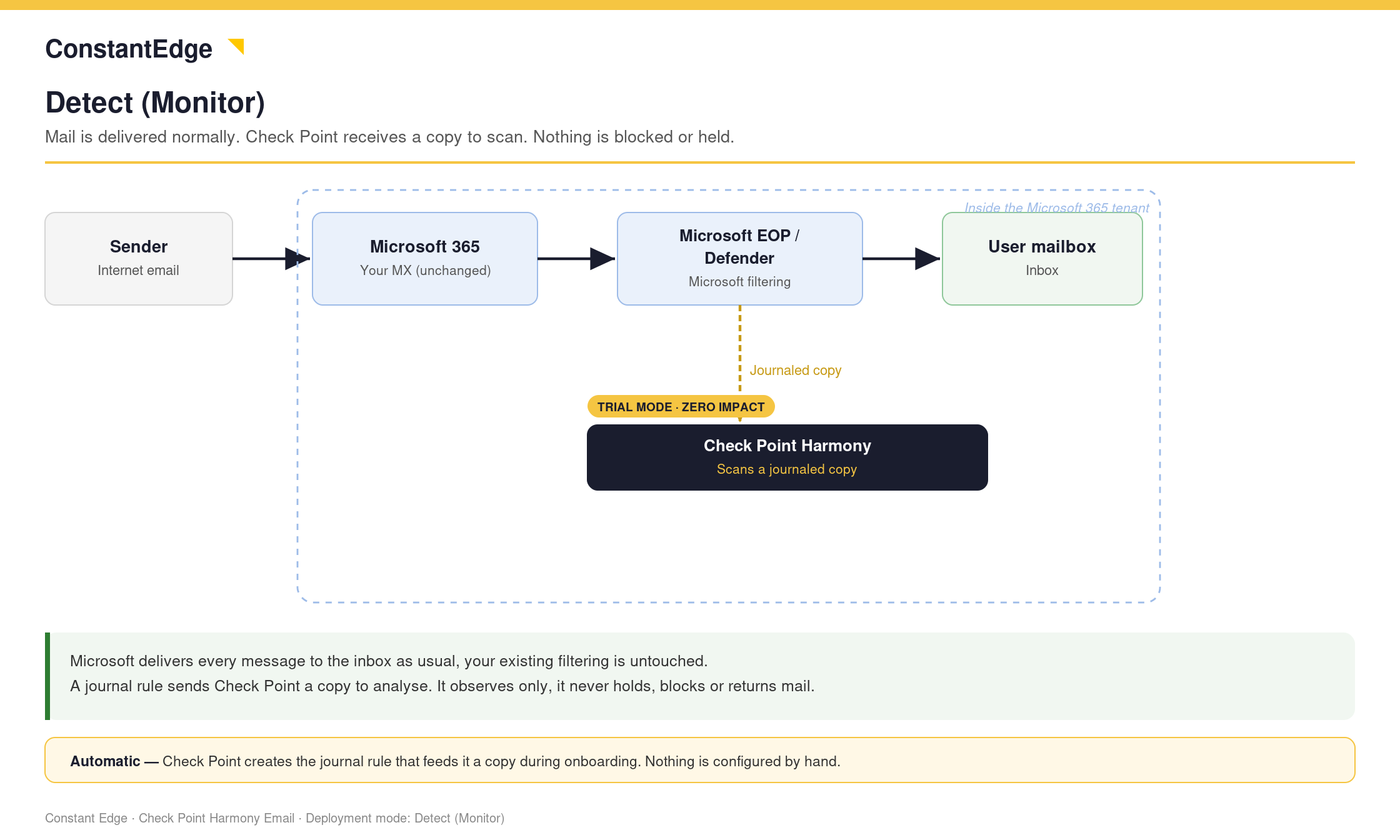
Detect — monitor only. Check Point scans and logs, but takes no action and is invisible to users. Nothing is moved or blocked. Ideal for a pilot, or for baselining what is in the environment before you enforce anything.
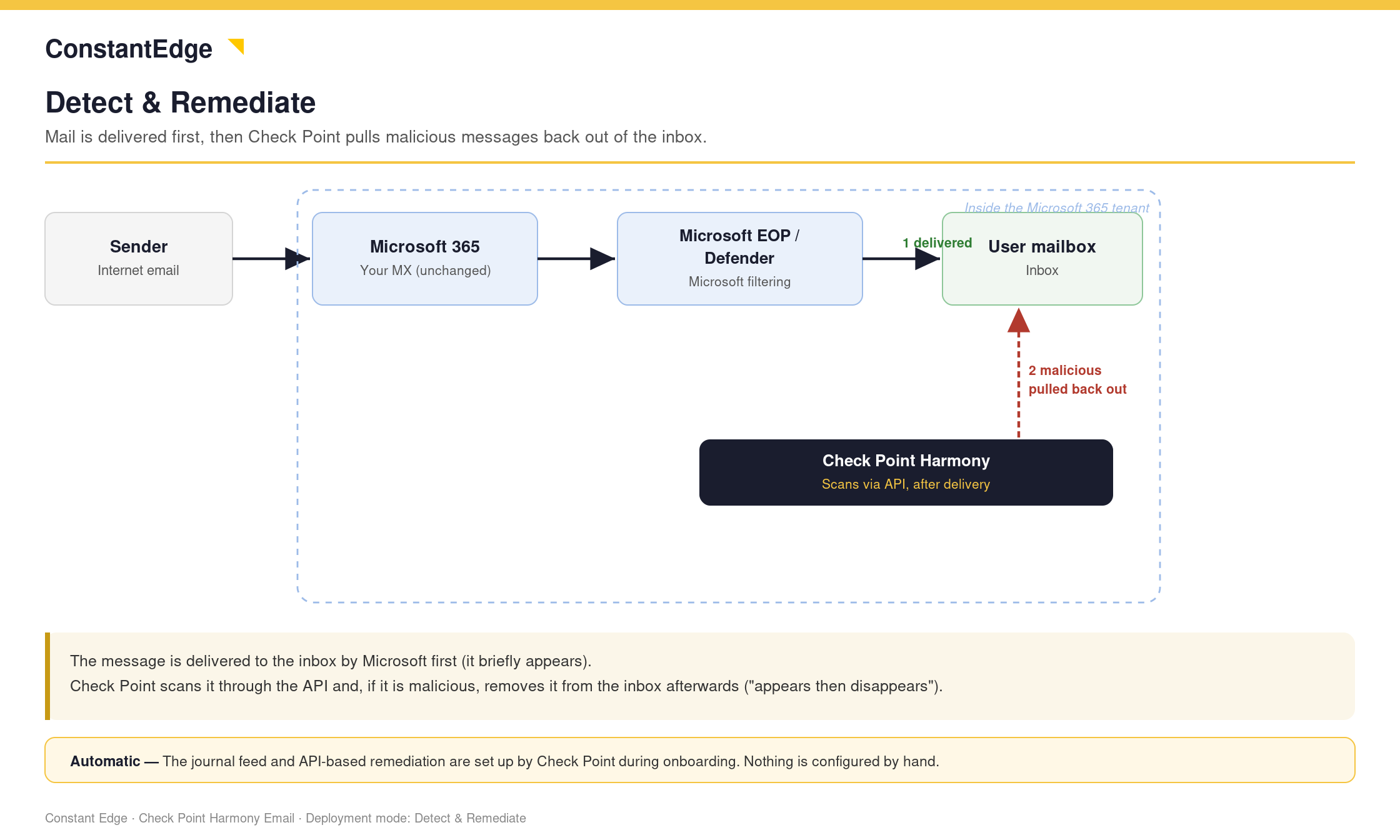
Detect & Remediate — post-delivery. Microsoft delivers the mail as normal, then Check Point acts through the API after the fact, clawing malicious messages back out of the mailbox. There is a short window where the message sits in the inbox before it is removed.
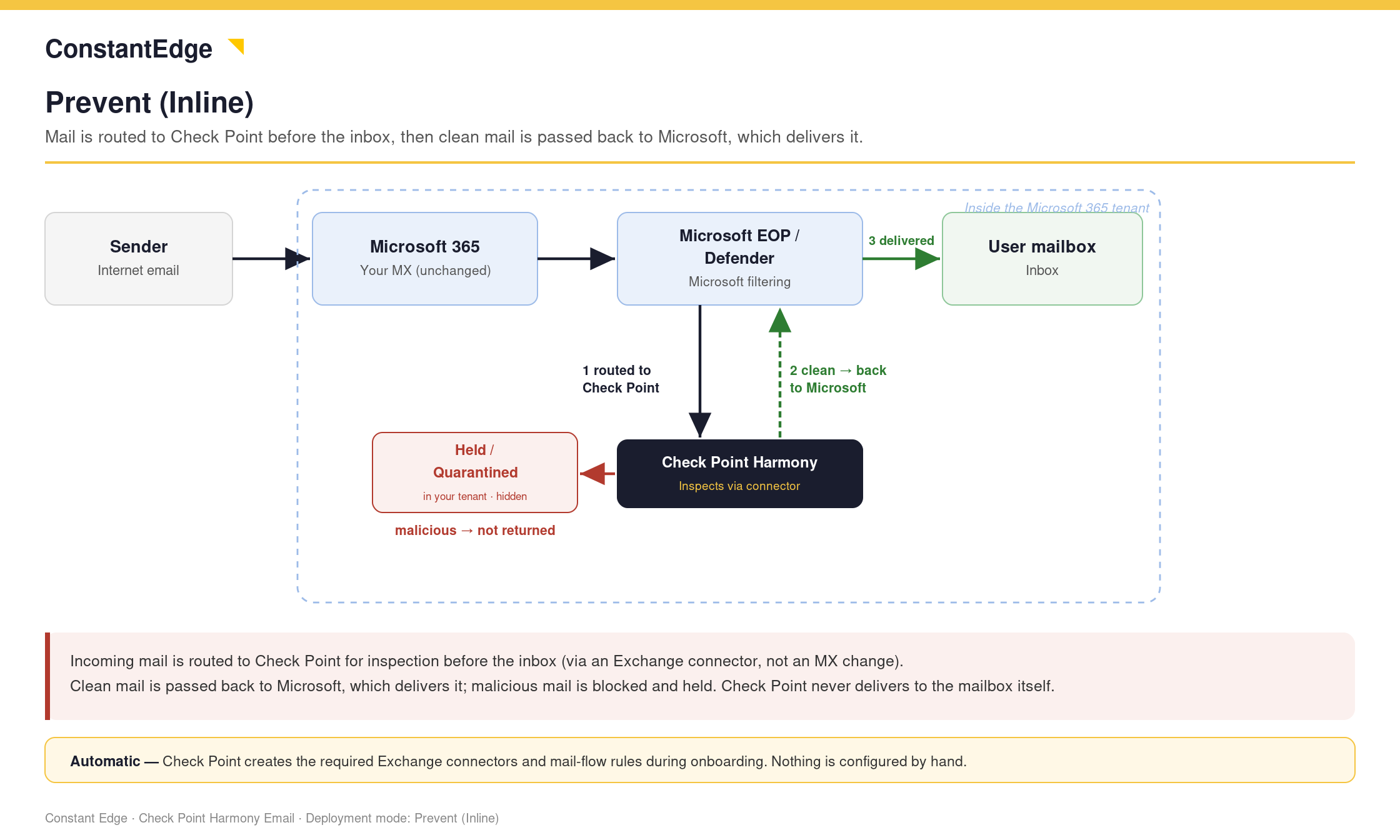
Prevent (Inline) — pre-delivery. Check Point routes mail through itself before it reaches the inbox, so threats are stopped before the user ever sees them. This is the only mode that can hold a message back, and it is required for Click-Time Protection and outbound DLP or encryption.
Which mode for which feature
- Threat detection can run in any mode.
- Click-Time Protection (URL rewriting) requires Prevent (Inline). It has to alter the message before delivery.
- Outbound DLP and email encryption require Prevent (Inline) for outgoing and internal traffic.
The SPF requirement for inline outbound and internal mail
When you enable Prevent (Inline) for Outgoing or Internal traffic, Check Point's IP addresses are inserted into the delivery chain. To stop your outbound mail failing SPF and being quarantined, add this to your SPF record:
include:spfa.cpmails.com
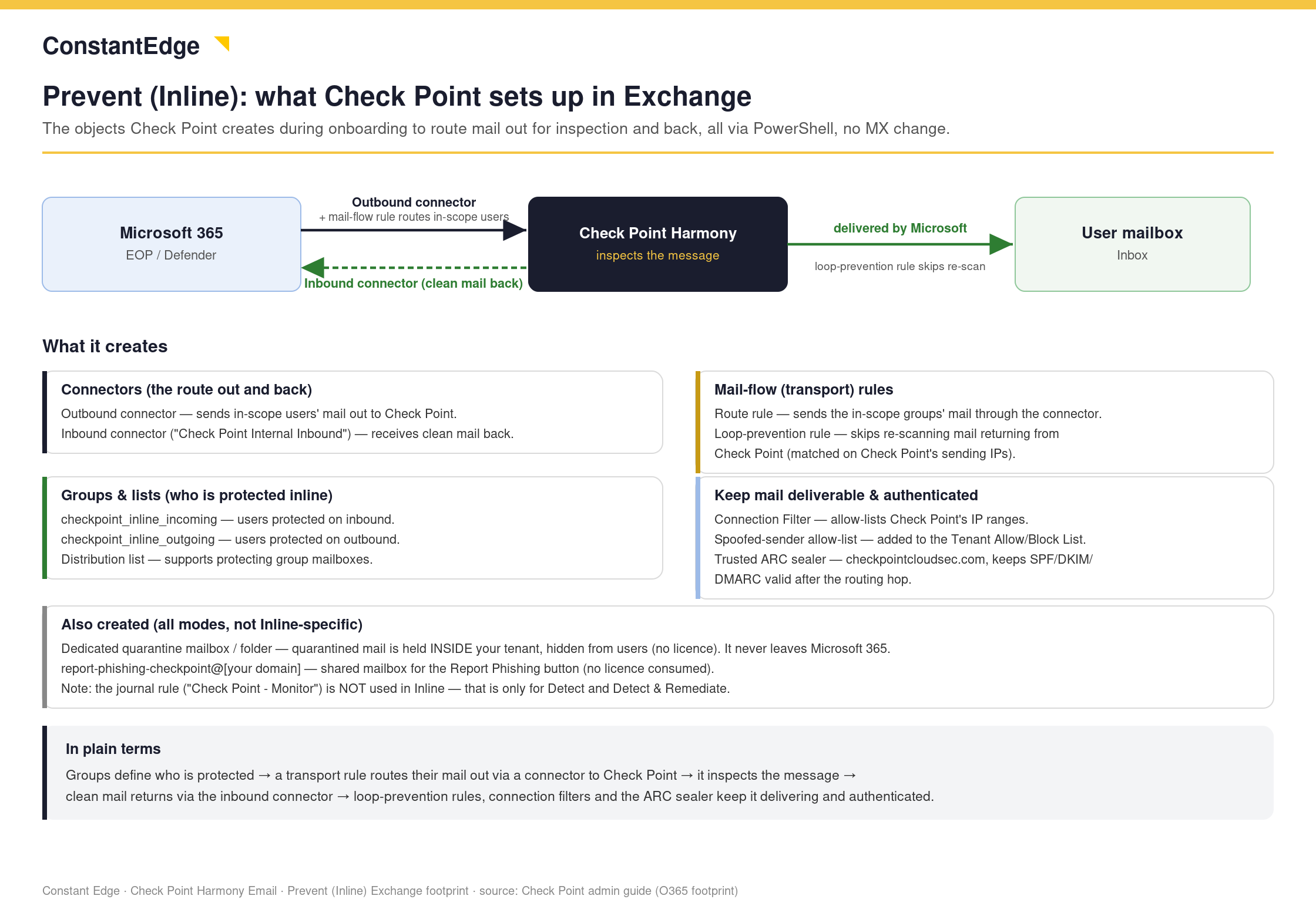
The same include covers both outgoing and internal traffic, so you only add it once. Mail still sends from Microsoft's IP address; the include simply authorises the Check Point hops so they pass SPF.
Add the SPF include before you enable inline outbound or internal protection, not after. Otherwise legitimate outbound mail can start failing SPF and landing in quarantine.
Next steps
Next: Creating a policy: a worked example with Click-Time Protection
Previous: How Check Point works: engines vs policies
Need Help with Check Point Harmony?
We deploy, configure, and manage Check Point Harmony Email & Collaboration for businesses, making sure your policies, engines, and protection modes are set up correctly so your organisation is fully covered.
Speak to an expertWas this article helpful?
That’s Great!
Thank you for your feedback
Sorry! We couldn't be helpful
Thank you for your feedback
Feedback sent
We appreciate your effort and will try to fix the article